

Node Explained · Lesson 2 of 12
END Node: Structured Workflow Outputs
Define what a workflow returns: choose an output format, map exactly which fields reach the result, and decide whether strict mode limits the response to what you mapped or lets everything from the last node through.
What You Will Learn
- What END does, and what you get by default if you never define one
- Composing a return value from several steps rather than accepting the last one: a summary from here, a confidence score from there, a source list from earlier
- Shaping output for a person as well as a machine, because raw JSON is a developer's answer and not a user's
- How one END definition feeds both the screen in Hub and the integration payload over the API
- Why this mapping is your function signature the moment another workflow calls this one, and what changing it carelessly does to the caller
Step by step guide
Step 1: Locate and Understand the End Node
The end node is the final node in your workflow where the output is produced and returned to the user. This is the point at which all processing is complete and the result is prepared for delivery.
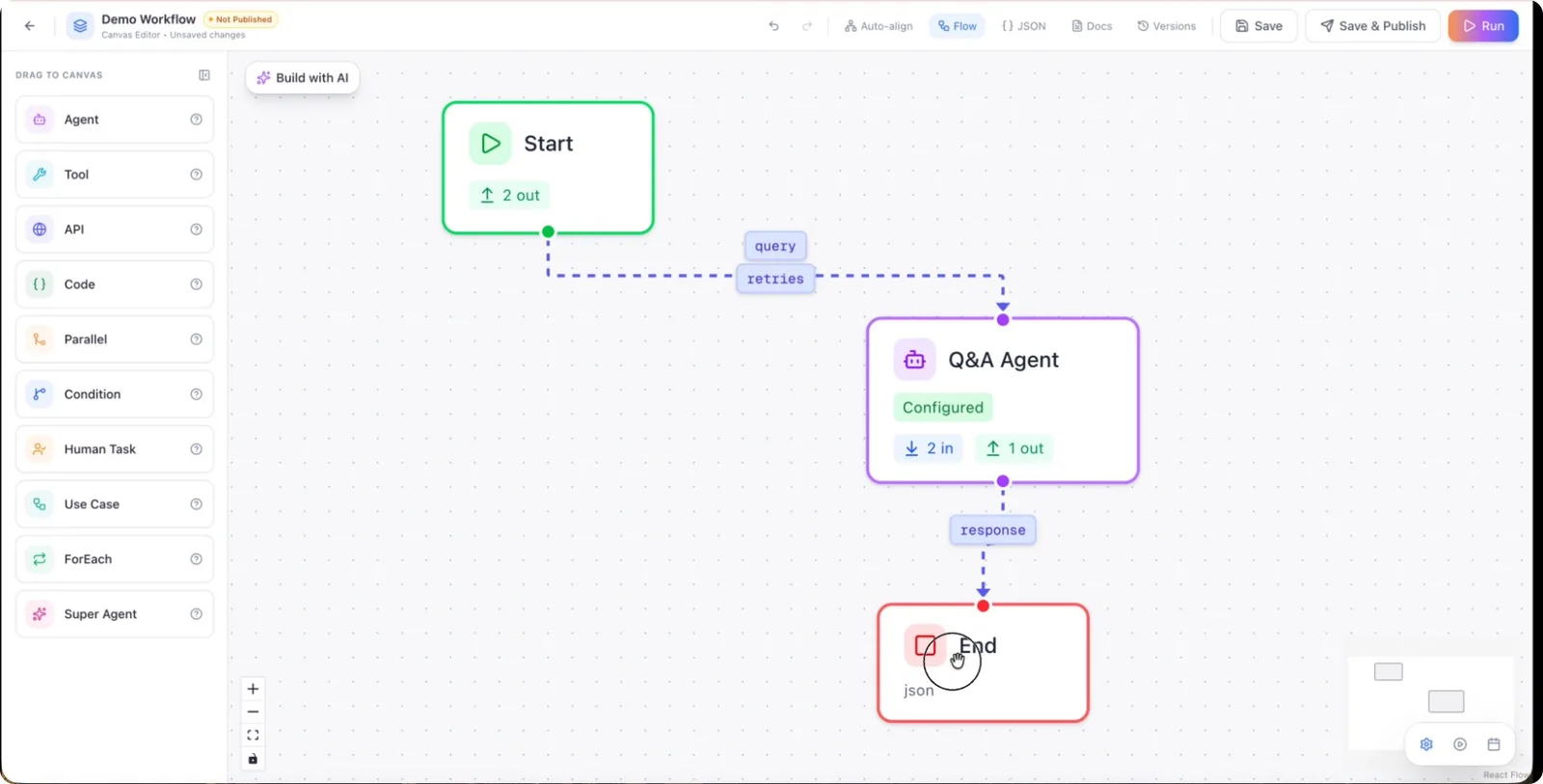
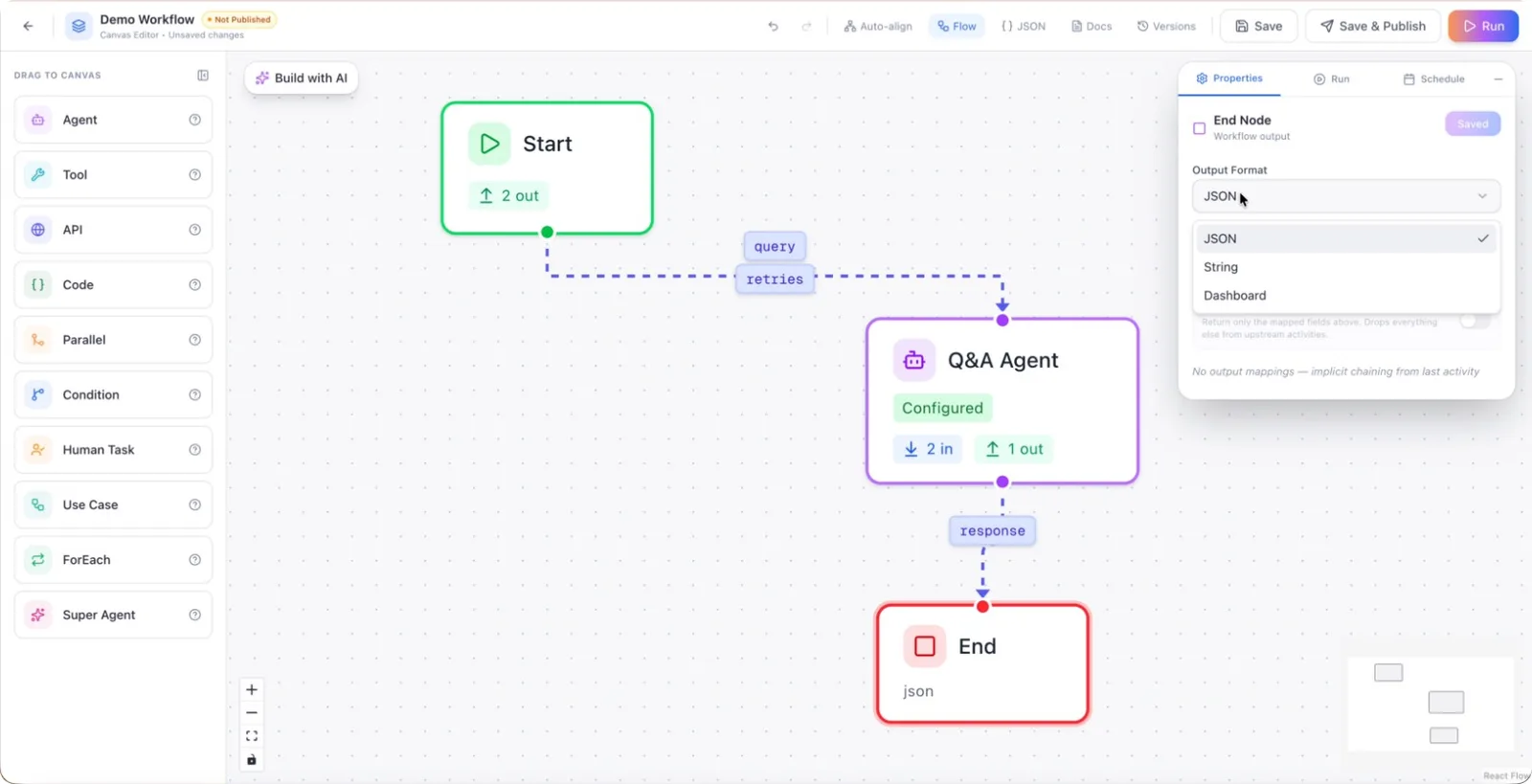
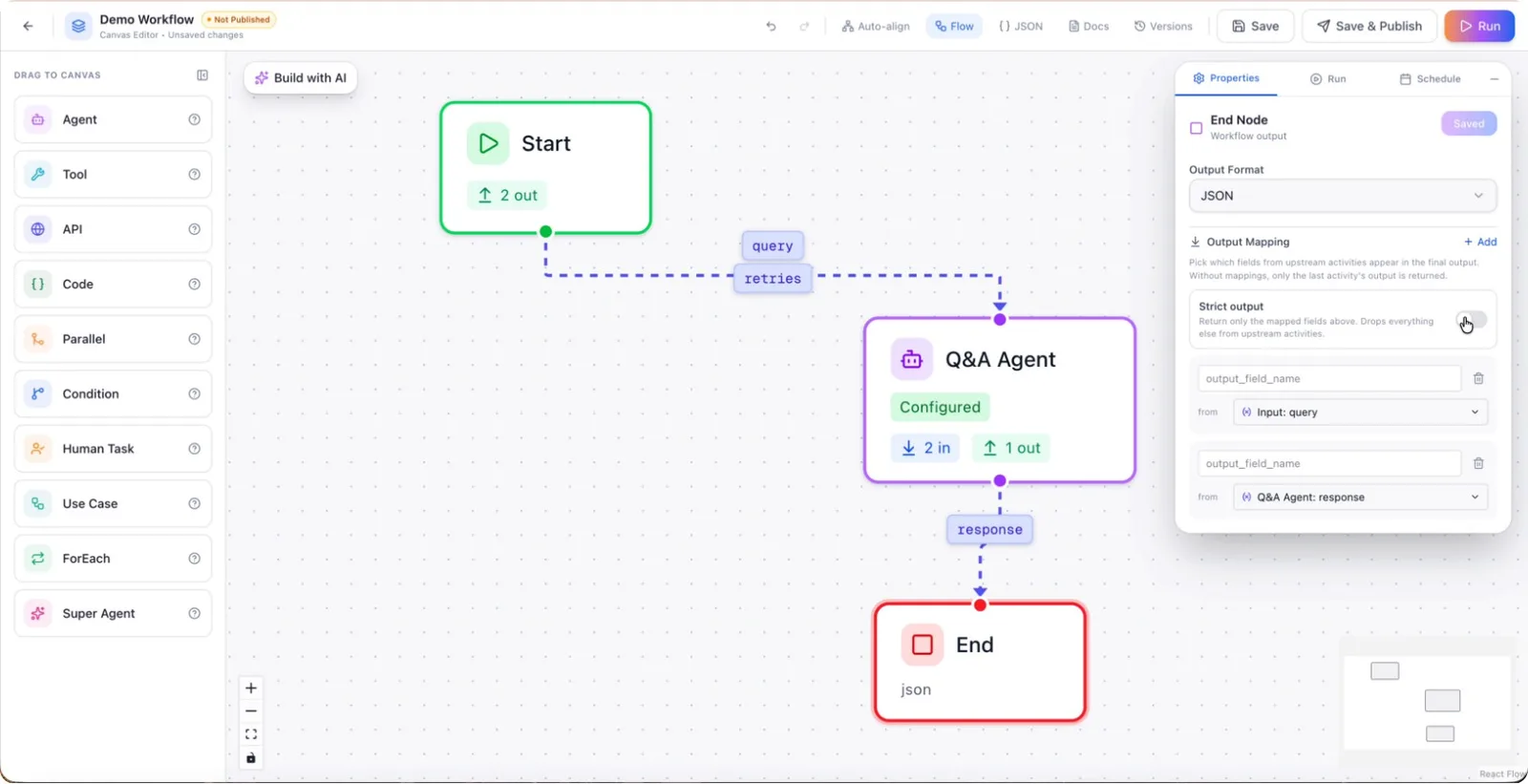
Step 2: Choose the Output Format
Configure the end node to define the desired output format. You can choose between multiple formats such as JSON, string, or dashboard, depending on how you want the result to be consumed or displayed.
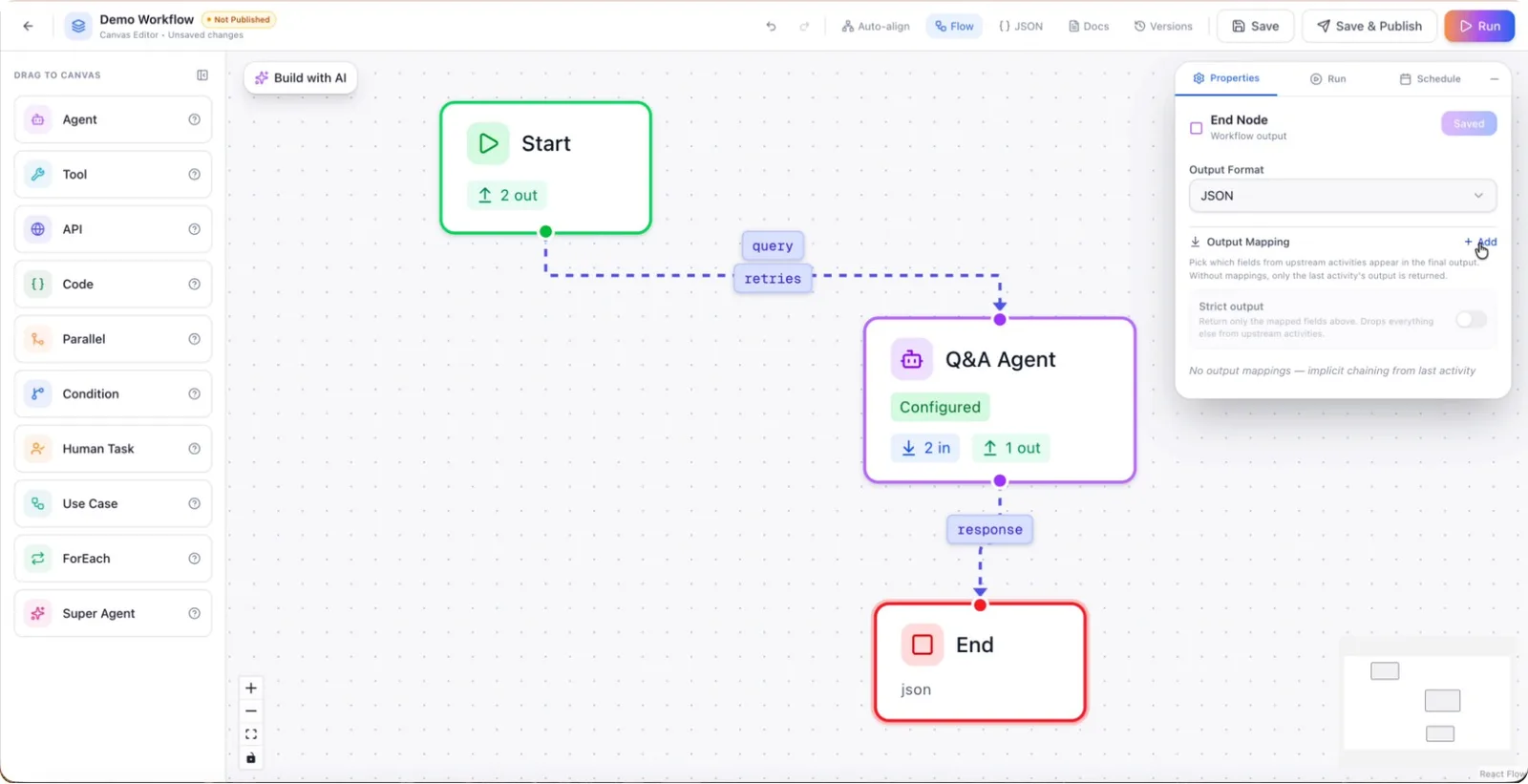
Step 3: Add Output Mappings
Add mappings in the end node to control exactly which fields and data elements are included in the final output. These mappings allow you to structure and label the output clearly.
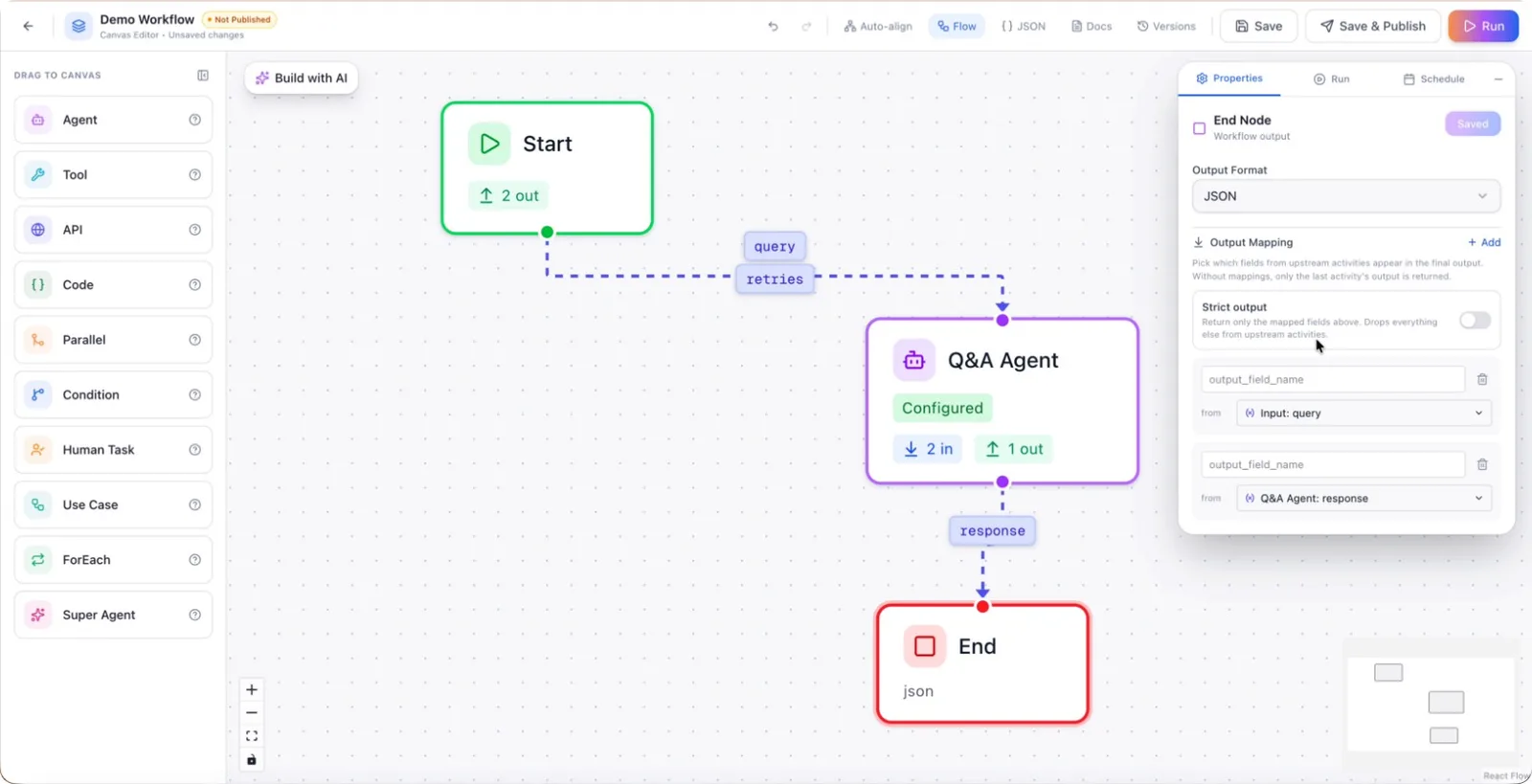
Step 4: Include Query and Response in the Output
If needed, configure the mappings so that both the original query and the response from the agent are included in the output. This is useful for debugging, logging, or displaying a full interaction history.
Step 5: Enable or Disable Strict Response Mode
Decide whether to use strict response mode for the end node.
- When strict response is enabled, the output will only include the specific items you have explicitly defined in the mappings.
- When strict response is disabled, the output will include all data received from the last node, not just the mapped fields.
Step 6: Add Fields from Previous Nodes
Optionally, extend the end node output by adding fields sourced from earlier nodes in the workflow. This allows you to aggregate relevant information from multiple processing steps into a single final response.